
What you need · already have some of it? Keep it
Three setups cover most restaurants
- One counter
Café, takeaway or a small dhaba
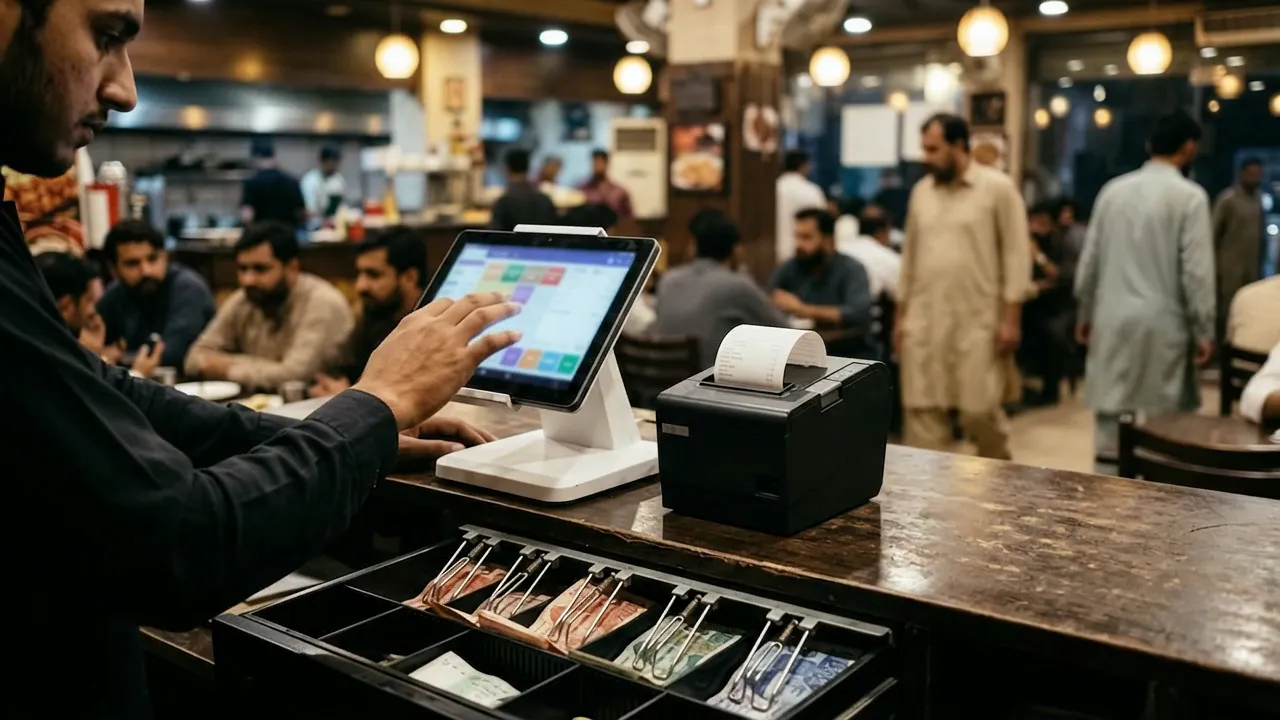
- PC, laptop or tabletTablet Rs 14k–52kRuns the Morslo till. A laptop keeps going through a power cut.
- 80 mm thermal receipt printerRs 7.8k–19kNetwork (LAN) is the most reliable; USB and Bluetooth work too.
- Cash drawer (RJ11)Rs 5.7k–12.7kPlugs into the printer and opens on cash payments.
- Counter + kitchen printer
Dine-in restaurants with a kitchen
- Everything for one counterTill, receipt printer and cash drawer.
- Kitchen printer (80 mm, LAN)Rs 8.3k–19kPrints the KOT next to the tandoor or grill.
- Small UPSFor the till, printers and router during load shedding.
- Counter + kitchen screen
Busy kitchens that want no paper
- Everything for one counterTill, receipt printer and cash drawer.
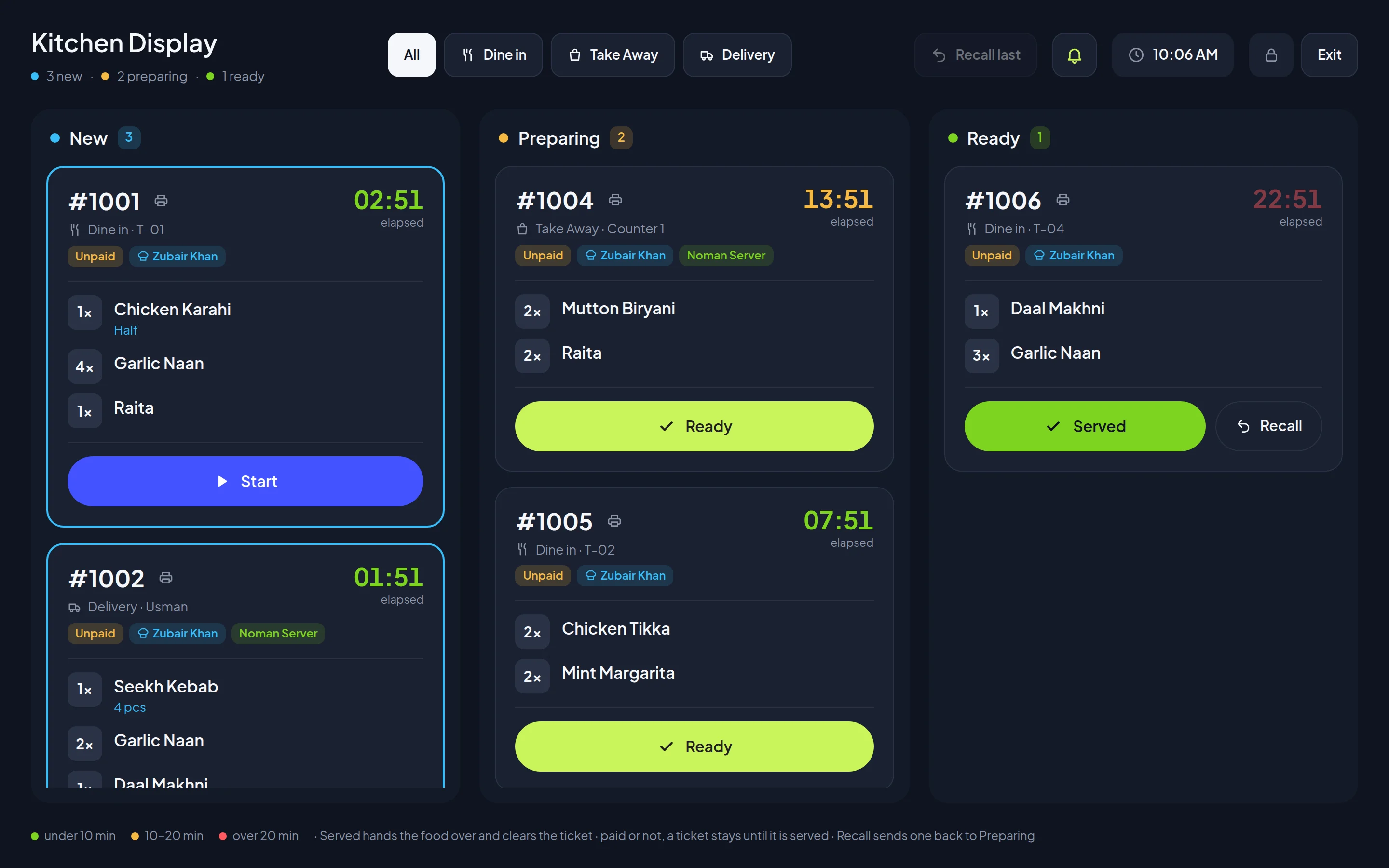
- 22–24″ screen with a small PC, or a tabletScreen Rs 11k–29kShows the kitchen display in the browser.
- Wall mountPuts the screen where the cooks can see it.
Typical street prices in Pakistan seen on 17 November 2026 (Daraz, Black Copper, TechGuys). Not Morslo prices; they change often.
Will my printer work?
Pick your till and your printer
The same rules the Morslo till follows. No surprises on opening day.
Your till runs on
Your receipt printer connects by
Prints by itself, straight to the printer’s IP (ESC/POS on port 9100).
Cash drawer: Opens on cash payments, through the printer.
Setup · real Morslo screens
From the box to the first bill
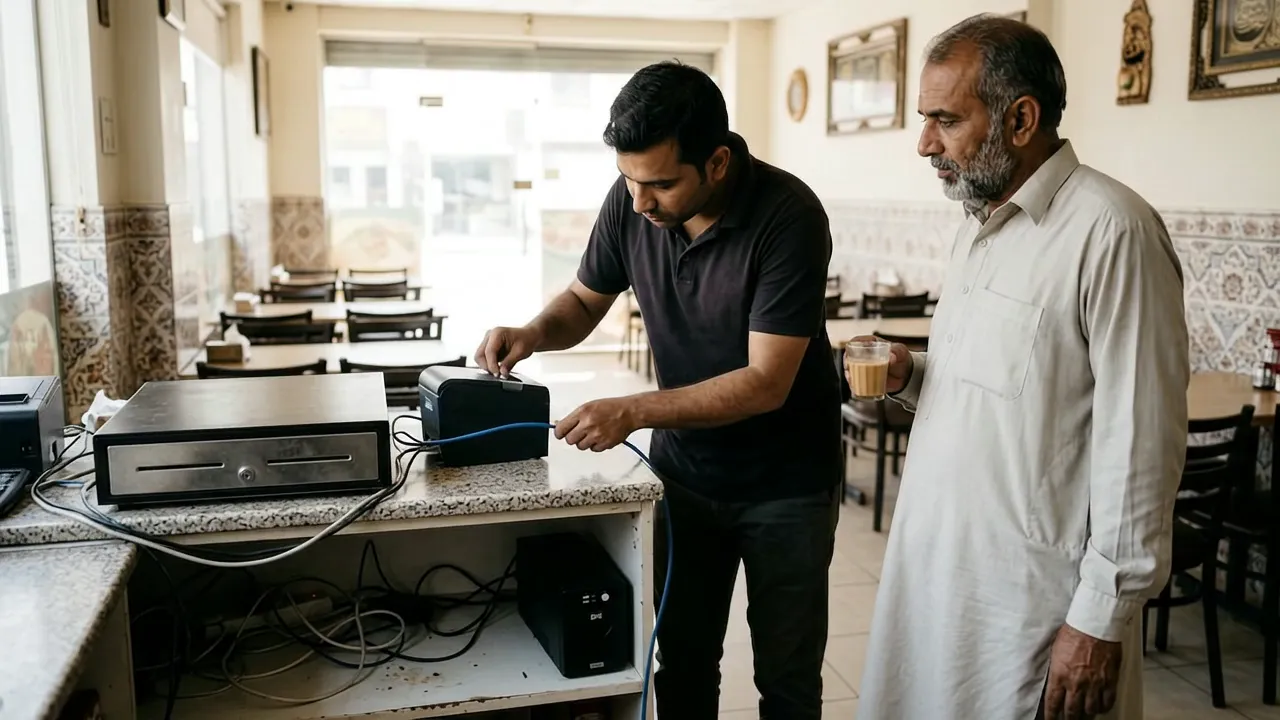
Network cable into the printer, the drawer into the printer, then a test slip from the till.
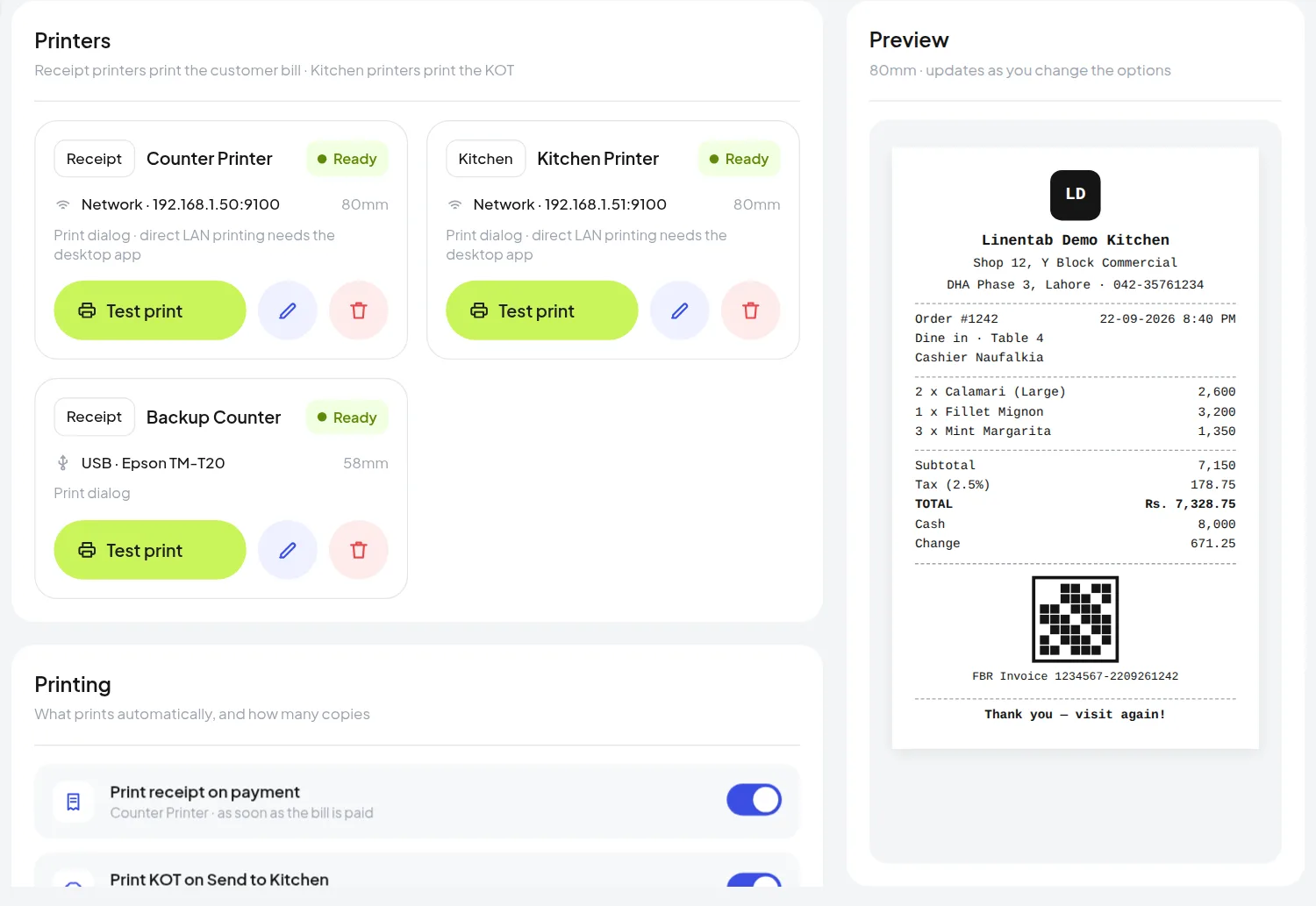
Receipt and kitchen printers on network, USB or Bluetooth, each showing Ready or a problem. Test print from the same screen.
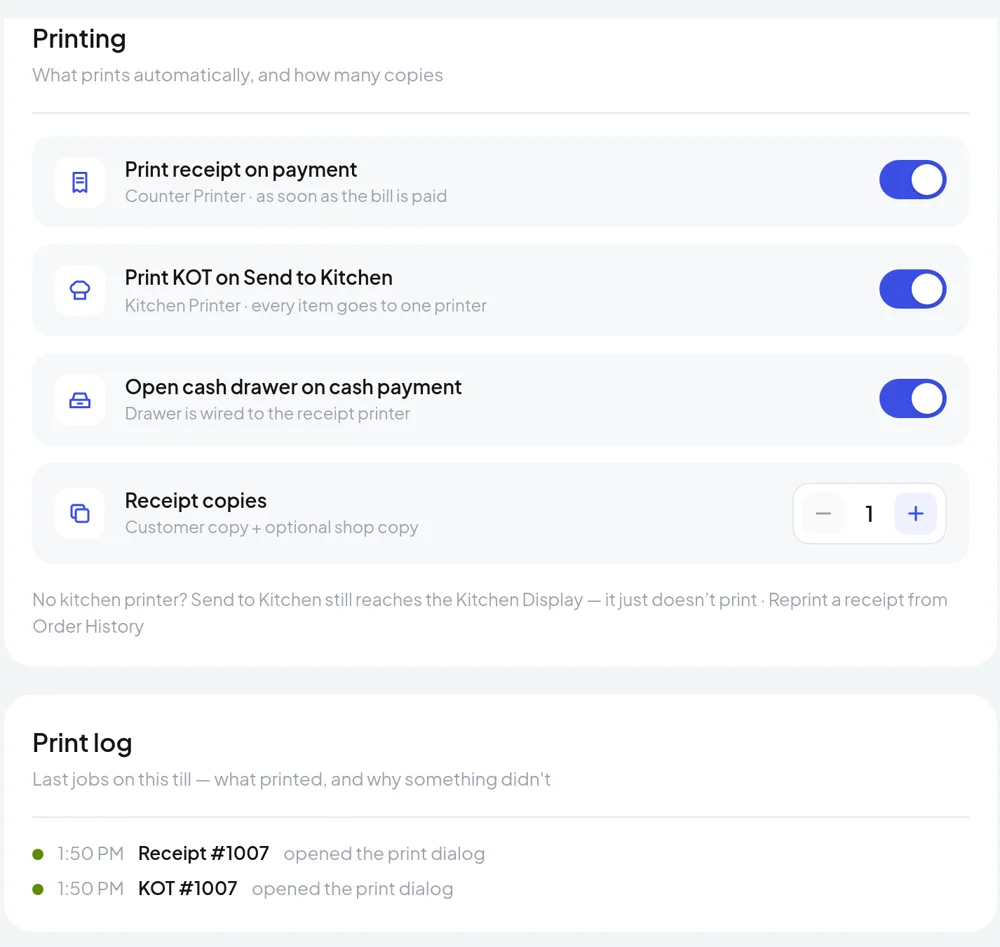
Receipt on payment, KOT on Send to Kitchen, the cash drawer on cash payments, and how many copies. A print log shows every job.
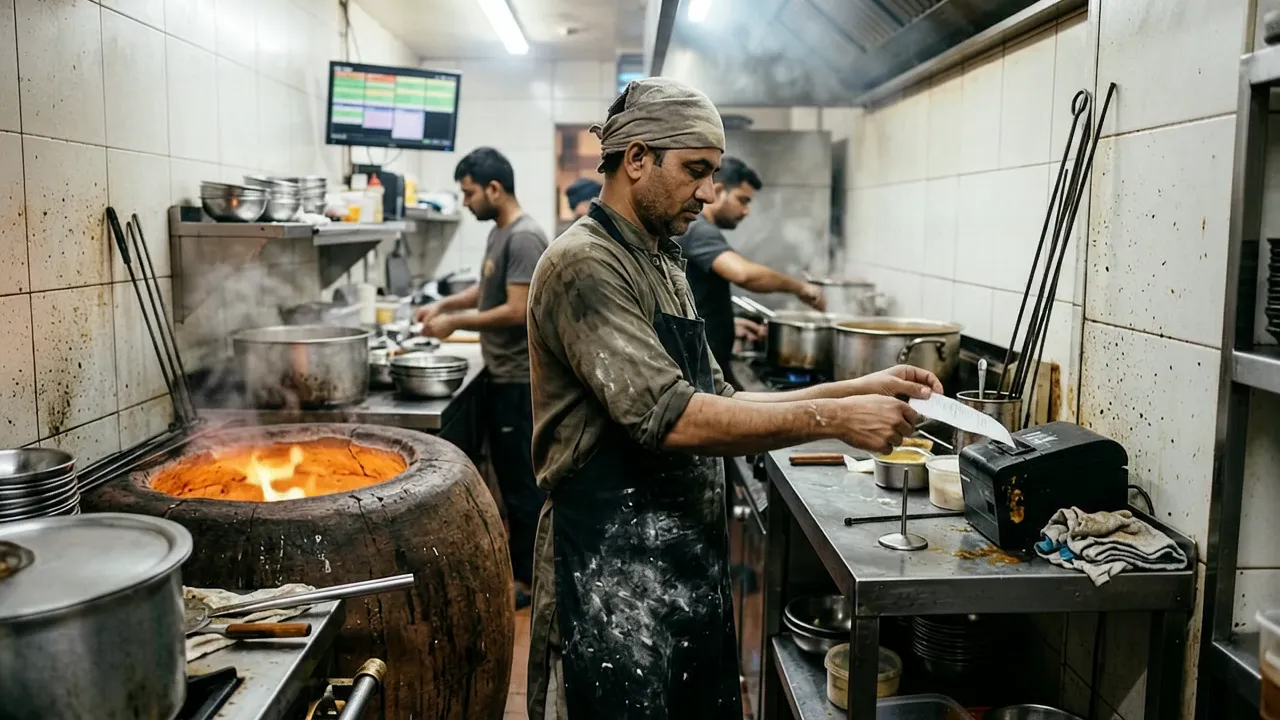
A kitchen printer on the network prints every order the moment the counter sends it.
Any screen with a browser can be the kitchen display: a monitor with a small PC, or a tablet on the wall.
Hardware FAQ
Questions owners ask
Sources
- Daraz: 80 mm thermal printers
- Black Copper: 80 mm receipt printers
- TechGuys: POS hardware in Pakistan
- Loyverse: printer-driven cash drawers
Prices seen 17 Nov 2026; not Morslo prices.
A Windows PC, laptop or tablet for the till and an 80 mm thermal receipt printer. A cash drawer, a kitchen printer and a kitchen screen are optional.
Usually yes. Morslo prints to ESC/POS thermal printers over the network, USB or Bluetooth. Book a demo and we will check your exact models.
A network (LAN) printer is the most reliable for a busy counter and can be shared by several tills. USB is simple for one PC. Bluetooth suits a small counter with no cables.
The drawer plugs into the receipt printer’s RJ11 port. When a cash payment is taken, Morslo tells the printer to open it. Drawers come in 12 V and 24 V, so match the drawer to the printer.
In November 2026 an 80 mm thermal printer cost about Rs 7,800–19,000, a cash drawer Rs 5,700–12,700 and a new 10–11 inch tablet Rs 40,000–52,000 (refurbished from about Rs 14,000). An all-in-one touch POS ran Rs 85,000 and up.
No. A kitchen printer is enough for many restaurants. If you want no paper, any screen that runs a browser can show the kitchen display.
Yes, in Chrome, for taking orders and the kitchen display. For printing by itself and opening the drawer, use a Windows PC with the Morslo app.
Put the till, printers and router on a small UPS, or use a laptop. Morslo keeps billing offline when the internet drops.
Tell us what you have, we’ll tell you what you need
Tell us your PC and printer models when you book, and we’ll check them in the free demo.
Book a free demo →