
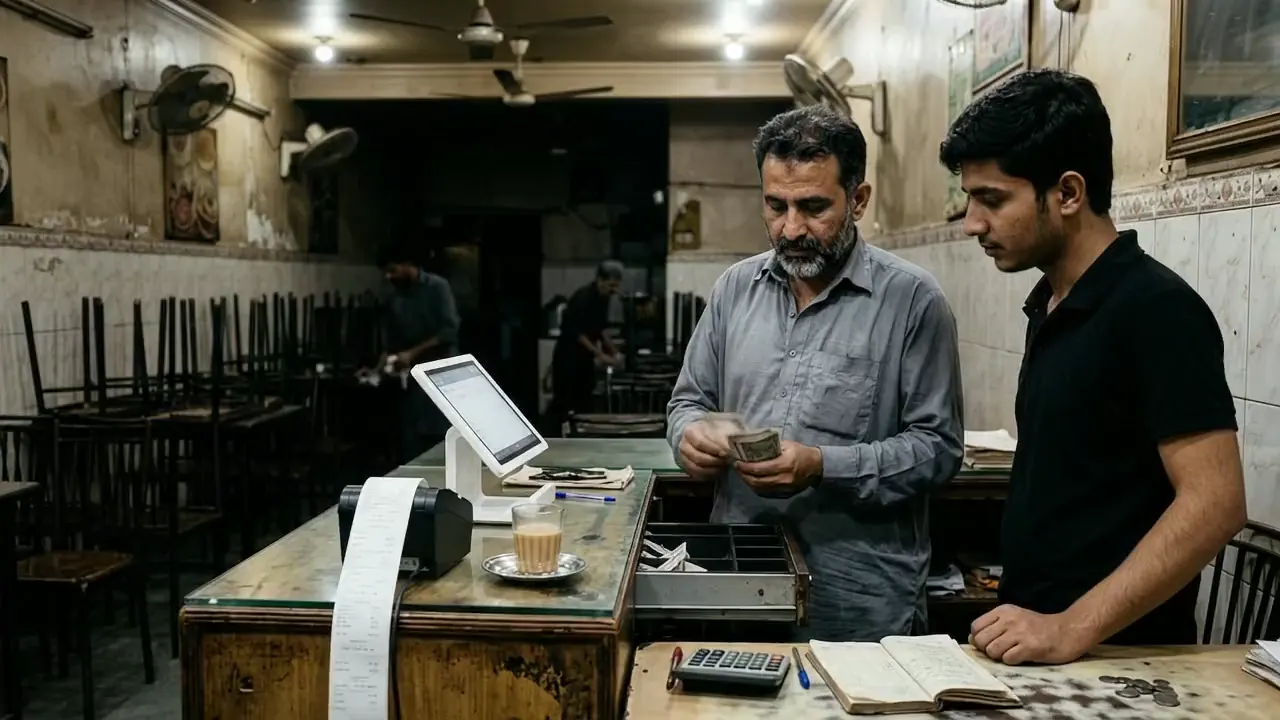
Try it · a real shift
Close the day the way the till does
Type what you counted. The difference and the Z-report change with it.
Shift #2 · 11:30 AM to 10:19 PM · 91 orders
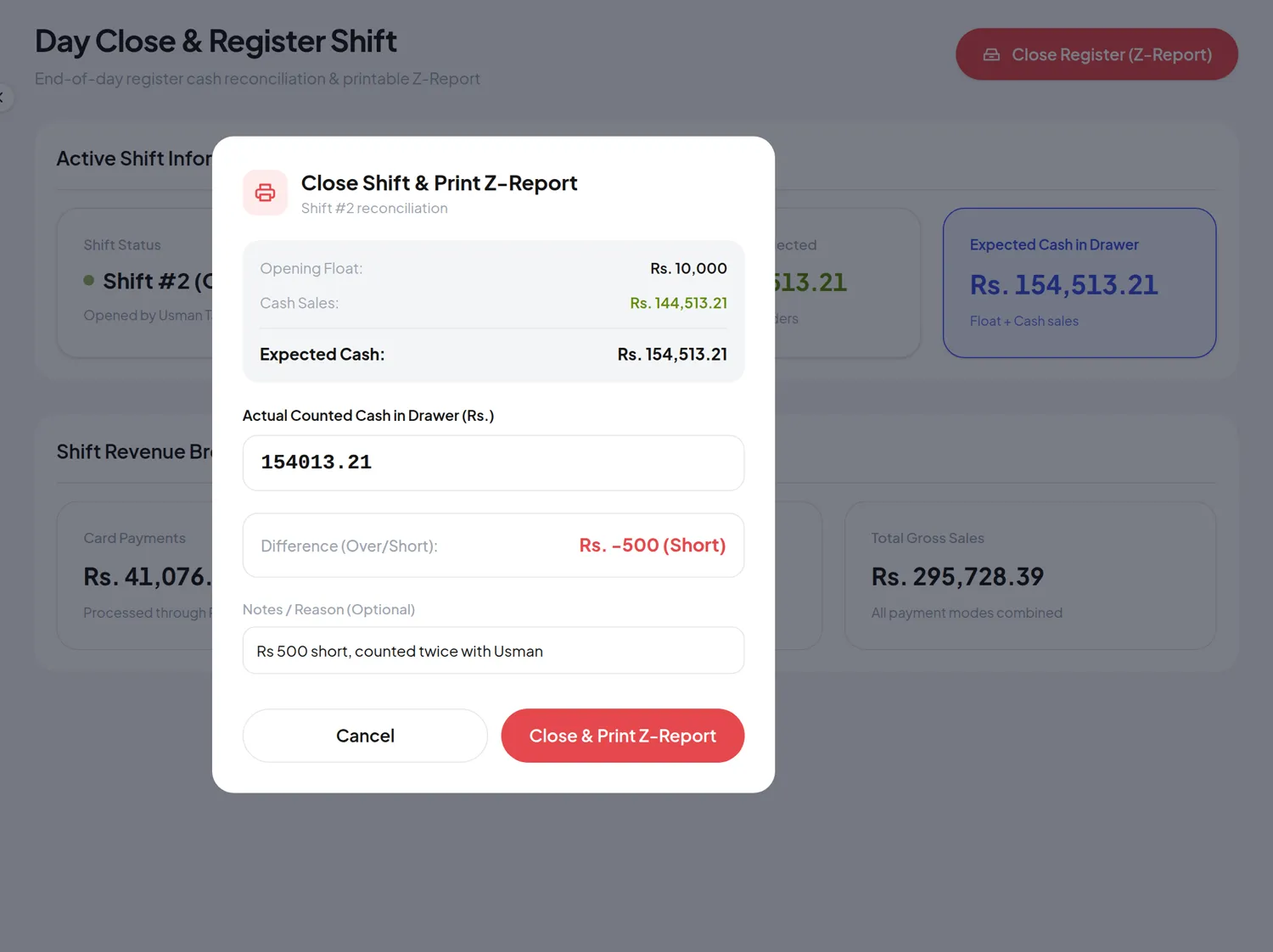
Difference−Rs. 500 (Short)
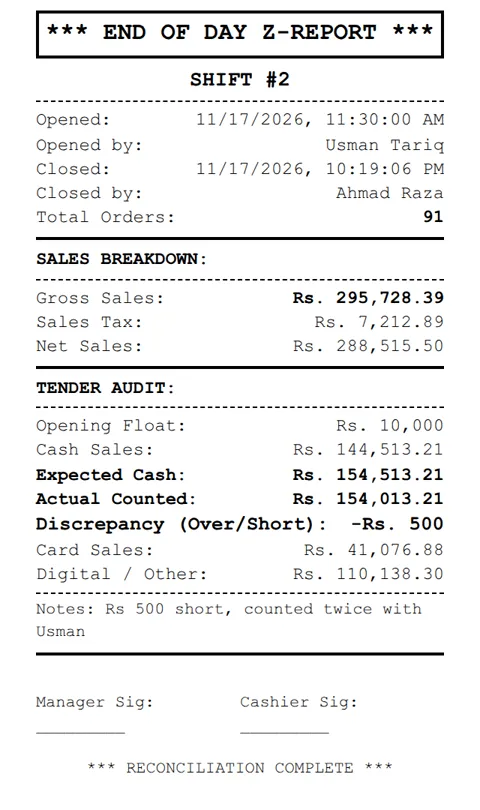
*** END OF DAY Z-REPORT ***
SHIFT #2
TENDER AUDIT:
How it works · real Morslo screens
From the first bill to the Z-report
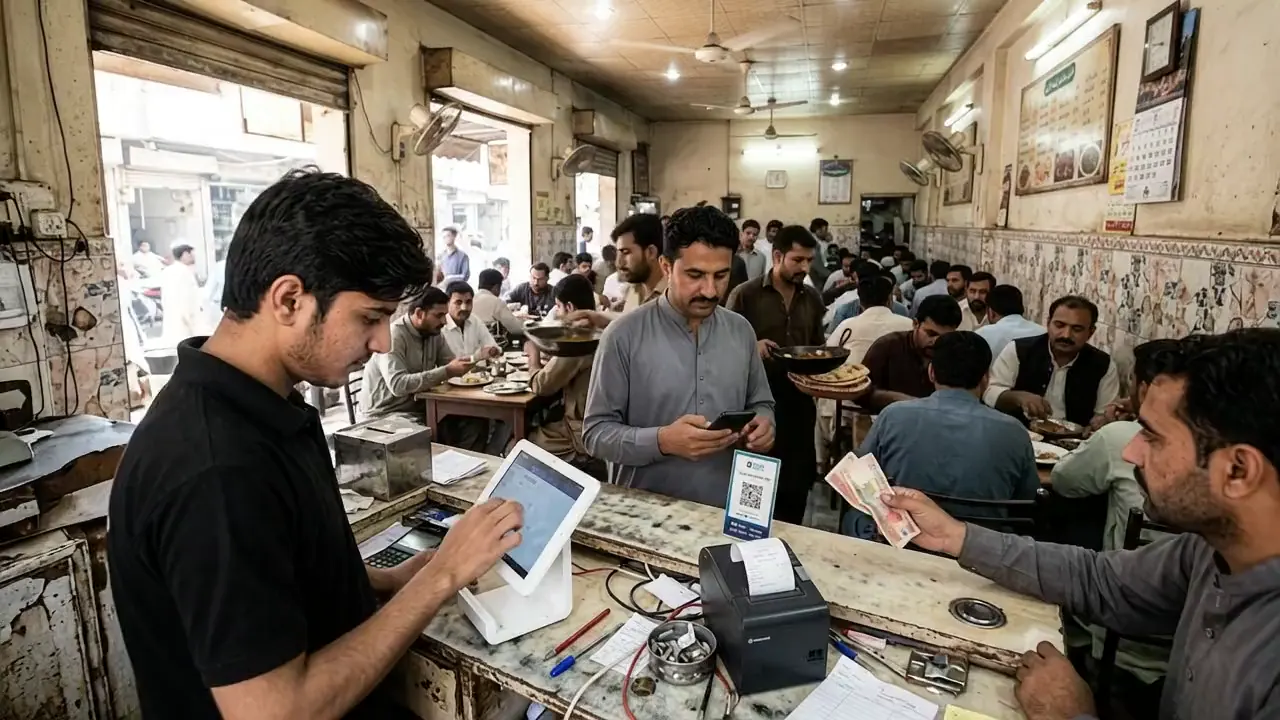
Cash, card, JazzCash or Easypaisa and bank transfer, each saved with its bill the moment it is paid.
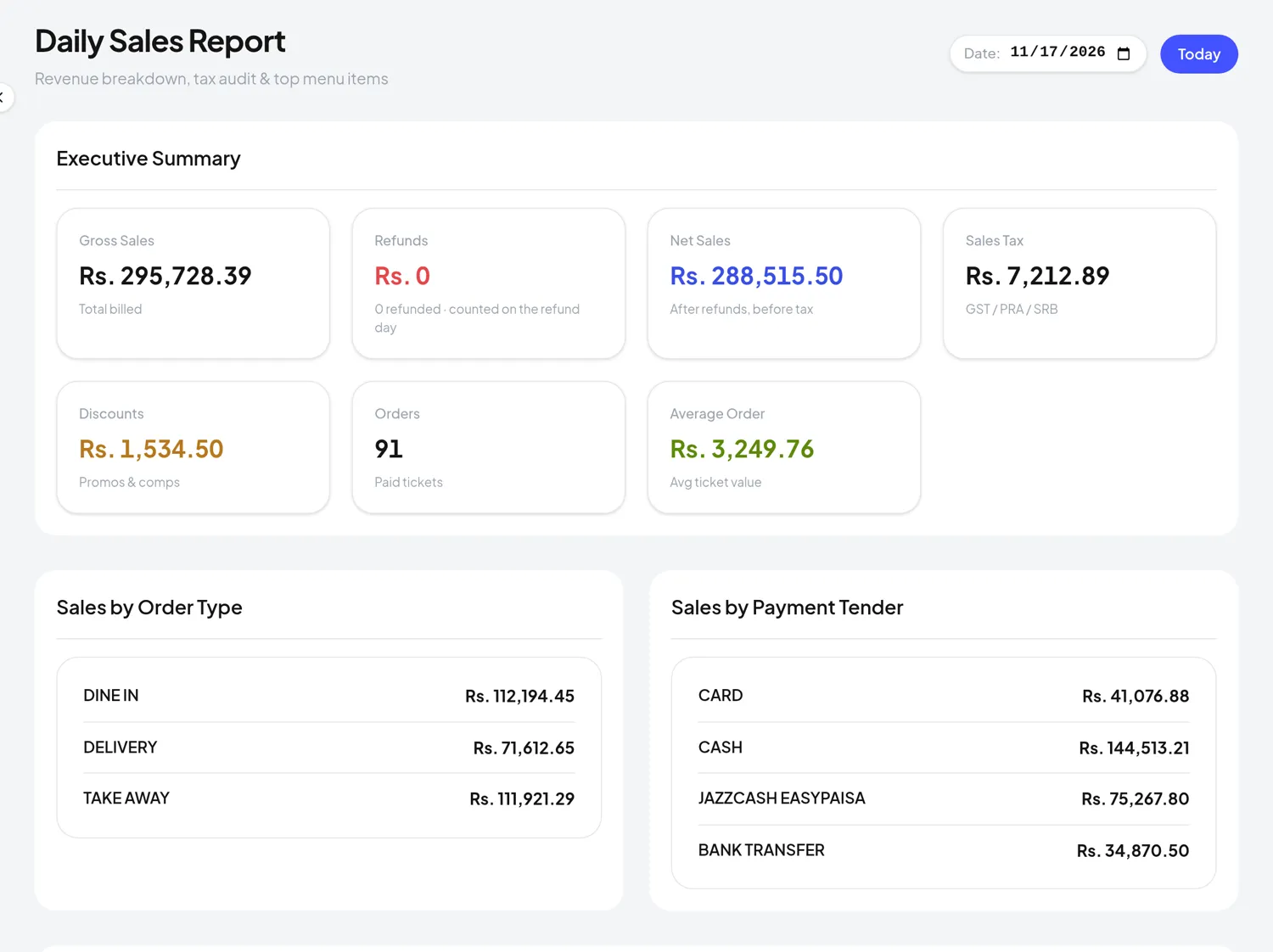
Gross and net sales, tax, discounts, refunds, orders and the average bill, then the split by dine-in, takeaway and delivery and by payment method.
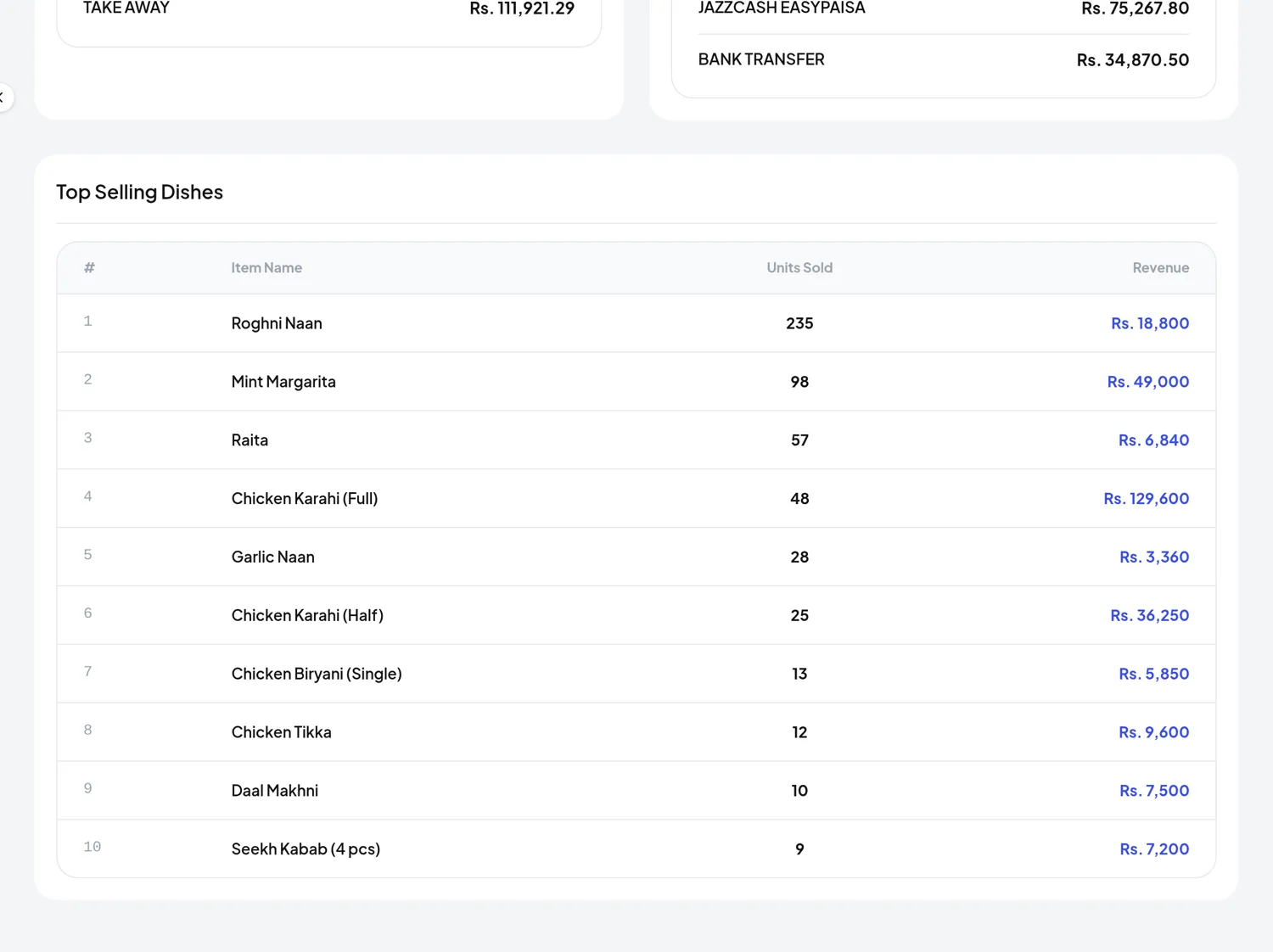
The top 10 dishes by units, with what each brought in. Pick any past date to compare.
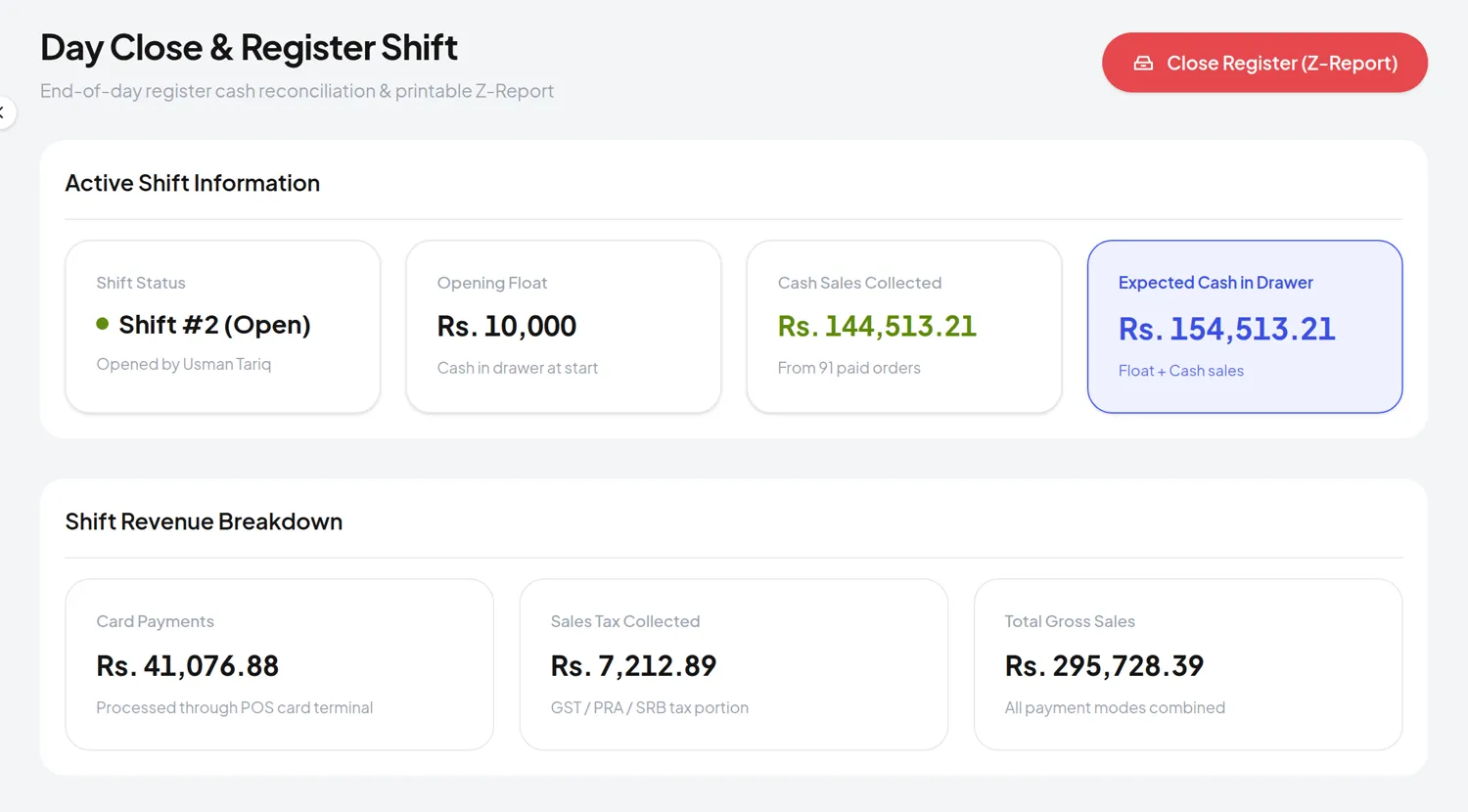
The shift opened with Rs 10,000 at 11:30. Expected cash is always the float plus cash sales, next to card sales and the day’s total.
Enter what is really in the drawer. Rs 500 short shows in red before the shift closes, with a note on why.
Who opened and closed the shift, orders, sales, tax and the cash audit, with signature lines for the manager and the cashier.
Built into the till
Rules that keep the drawer honest
Not a report you read later. The till checks these while the day is still going.
- ✓No cash outside a shiftThe till won’t take a cash payment until someone opens the register with a float, so every rupee lands in a drawer count.
- ✓Every discount has a reasonThe cashier types why. Above 10% needs a manager, and the day’s discounts show as one total.
- ✓Refunds stay on their dayA refund counts on the day it is given, so a day you closed never changes later.
- ✓Short or over, the same nightThe difference shows before the shift closes, and the note is printed on the Z-report.
No surprises
What reports do today, and what they don’t yet
✓In Morslo today
- Daily sales for any date, by your business day
- Gross, net, tax, discounts, refunds and orders
- Sales by dine-in, takeaway and delivery
- Cash, card, JazzCash / Easypaisa and bank transfer
- Top 10 dishes by units sold, with revenue
- Register shift: float, expected and counted cash
- Over / short with a note, printed Z-report
- Who opened and who closed every shift
–Not yet
- Weekly and monthly closing reports
- Sales by category and by hour
- Excel or PDF export, email or WhatsApp summary
- A separate owner app for the phone
- Several cash drawers in one restaurant
Daily sales and shift reports come with every plan (see pricing).
Reports FAQ
Questions owners ask
A daily sales report for any date (gross and net sales, tax, discounts, refunds, orders and average order, split by order type and payment method, plus the top 10 dishes) and the register shift with its Z-report.
At your closing time. If you close at 2 AM, sales until 2 AM count in the day that started the morning before, so a late night doesn’t split into two days.
Open the register with the cash float in the morning. At closing, count the drawer and enter the amount. Morslo shows expected cash (float + cash sales), what you counted and the difference, then prints the Z-report.
The end-of-day slip for a shift: who opened and closed it, total orders, gross sales, tax and net sales, then the cash audit (float, cash sales, expected, counted, over or short) and card and wallet totals, with signature lines.
The difference shows in red before you close. Write a note, for example who counted, and it prints on the Z-report so the owner sees it next morning.
FBR’s sales tax rules for integrated POS say the POS must perform closing at the end of the day, week and month. Morslo’s day close and Z-report cover the daily closing; weekly and monthly closing reports are not in Morslo yet.
Not yet. Any past day opens on the till by its date, but there is no Excel, PDF or email export today.
Daily sales and shift reports come with every plan, including Starter.

Know last night’s numbers before your chai is cold
In the free demo we run a day of bills on the till and close it in front of you.
Book a free demo →