
Try it · real demo restaurant
Run tonight’s floor
Pick a table, send an order, then take the bill in parts. The demo keeps the same rules and messages as the till.
Seats in use 6 / 16
- Available
- Occupied
- Reserved
- Cleaning
T-07
Main hall · 6 covers · Hamza Ali
Order #1098seated 41 min ago
2 × Mutton BiryaniRs. 1,700
2 × Seekh Kebab (4 pcs)Rs. 1,800
3 × Garlic NaanRs. 360
1 × Daal MakhniRs. 750
Tax 2.5%Rs. 115.25
TotalRs. 4,725.25
How it works · real Morslo screens
From drawing the hall to the last bill
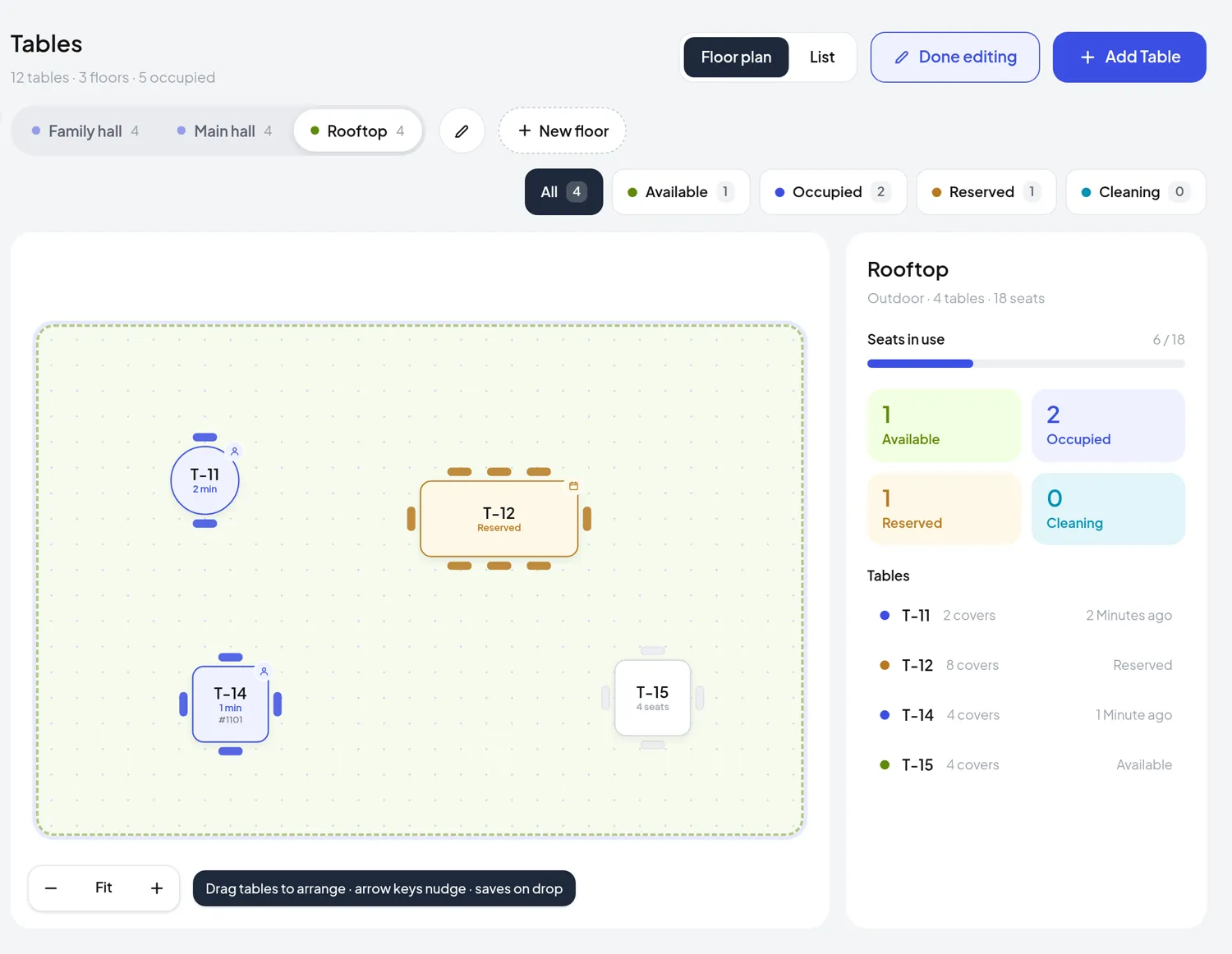
Add a floor for each hall. Edit layout lets you drag tables into place; a rooftop is drawn as an outdoor deck.
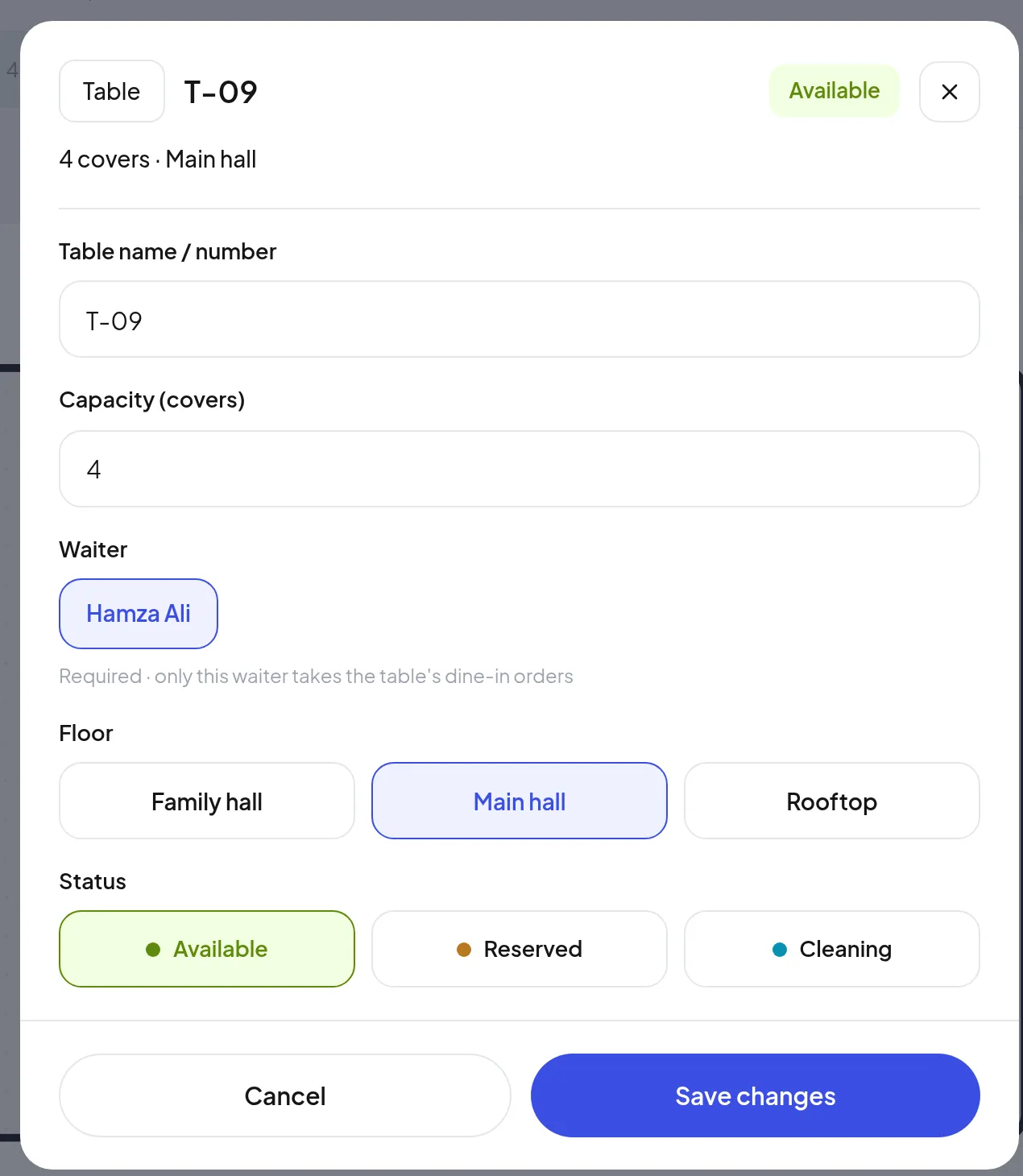
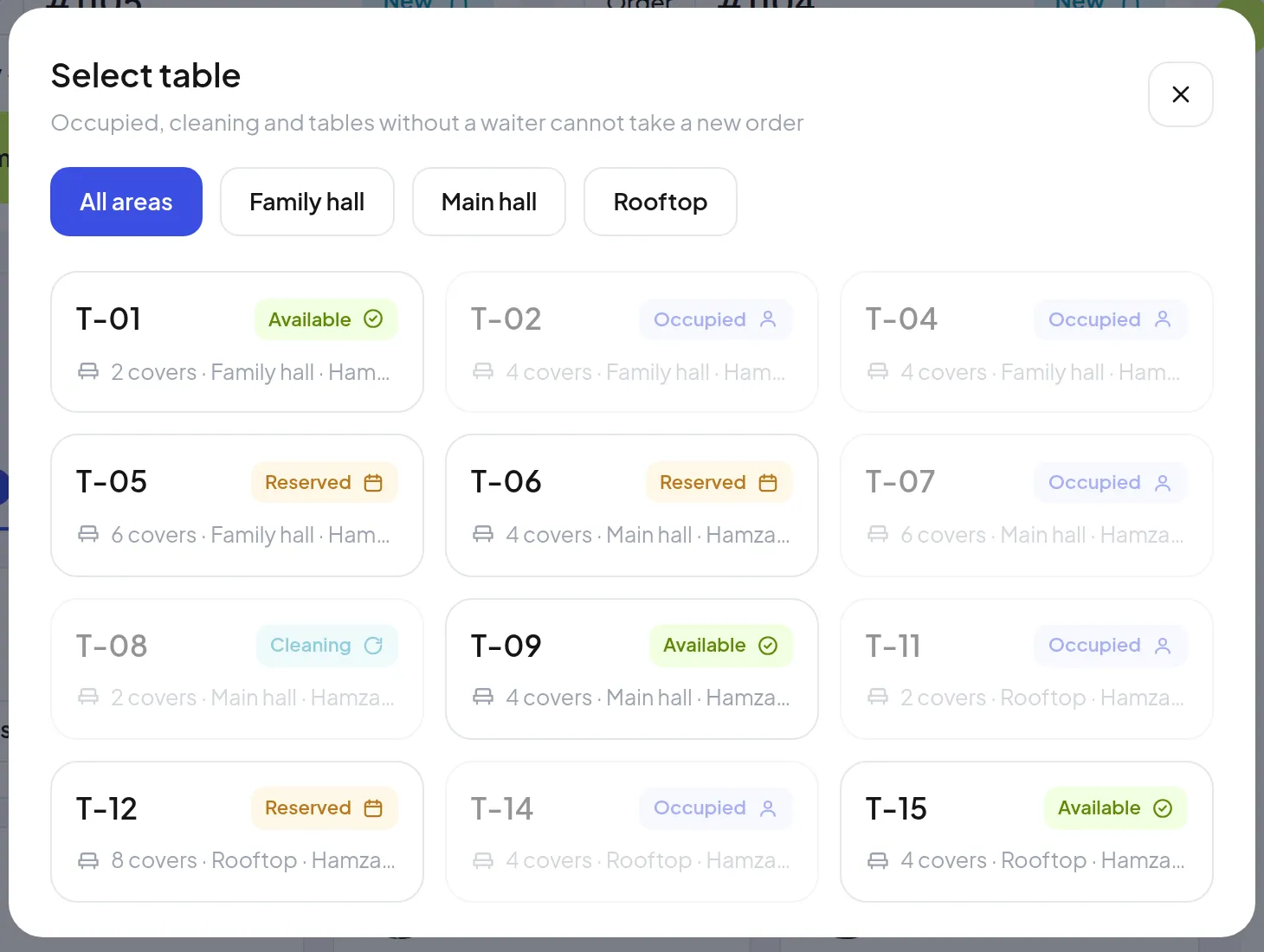
Name, seats, floor and one waiter. Only that waiter takes the table’s dine-in orders.
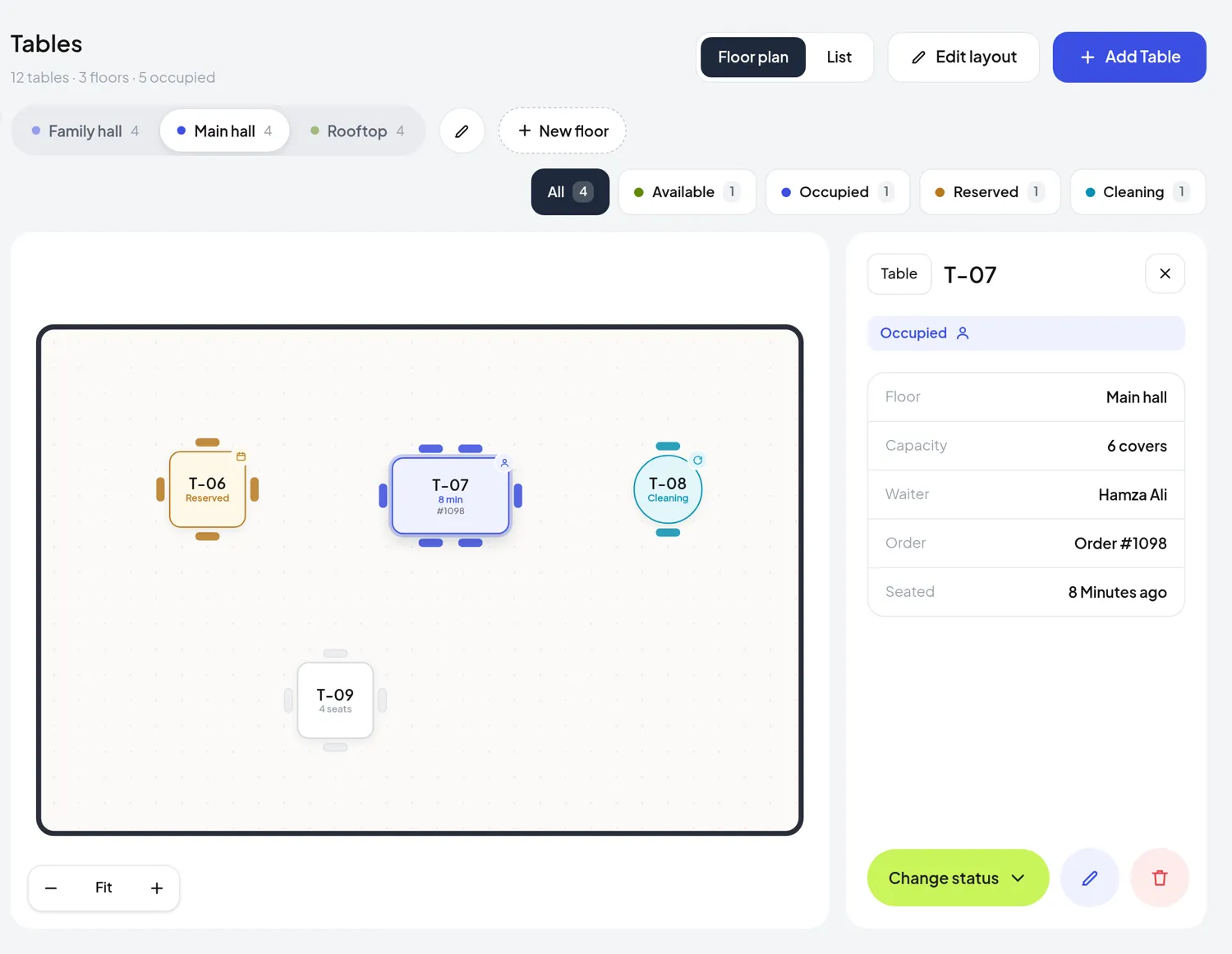
Free, occupied, reserved or being cleaned, on every till at once. Tap a table for its order and how long the guests have sat.
The till shows which tables can take an order. Occupied and cleaning tables are greyed out. The order goes to the Kitchen Display.
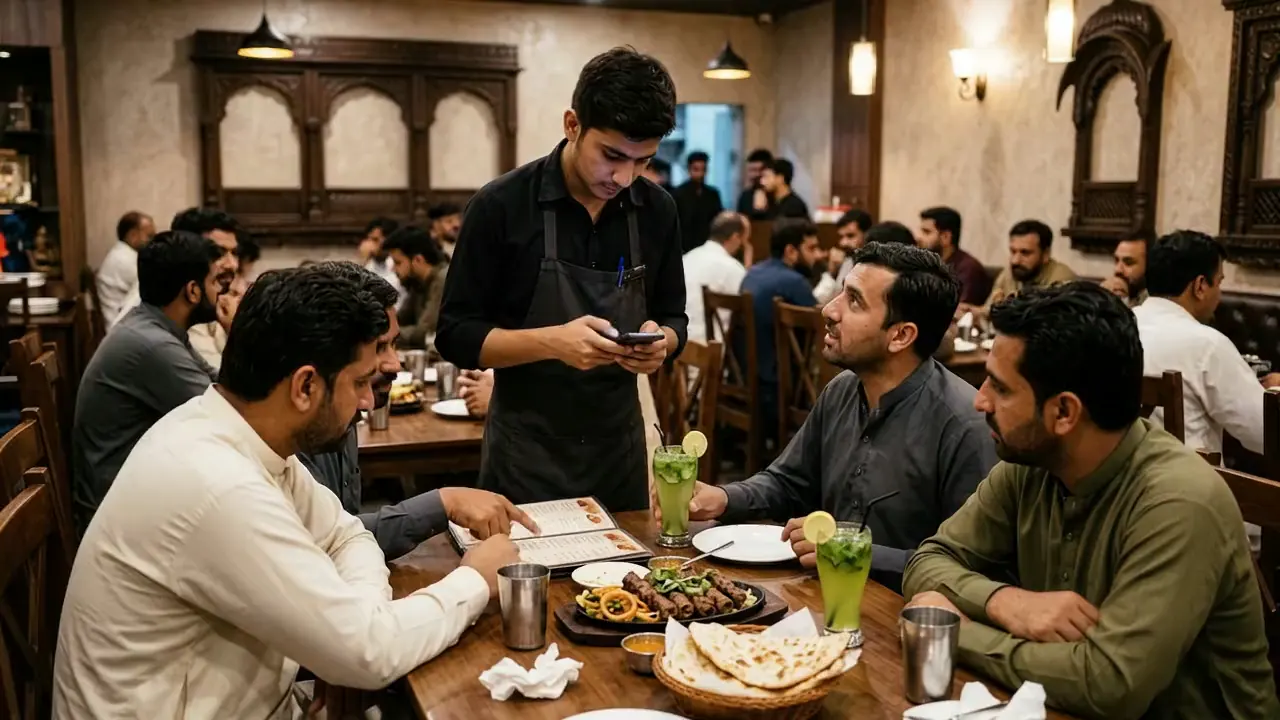
The table’s own waiter takes the order, and the kitchen sees it the moment it is sent.
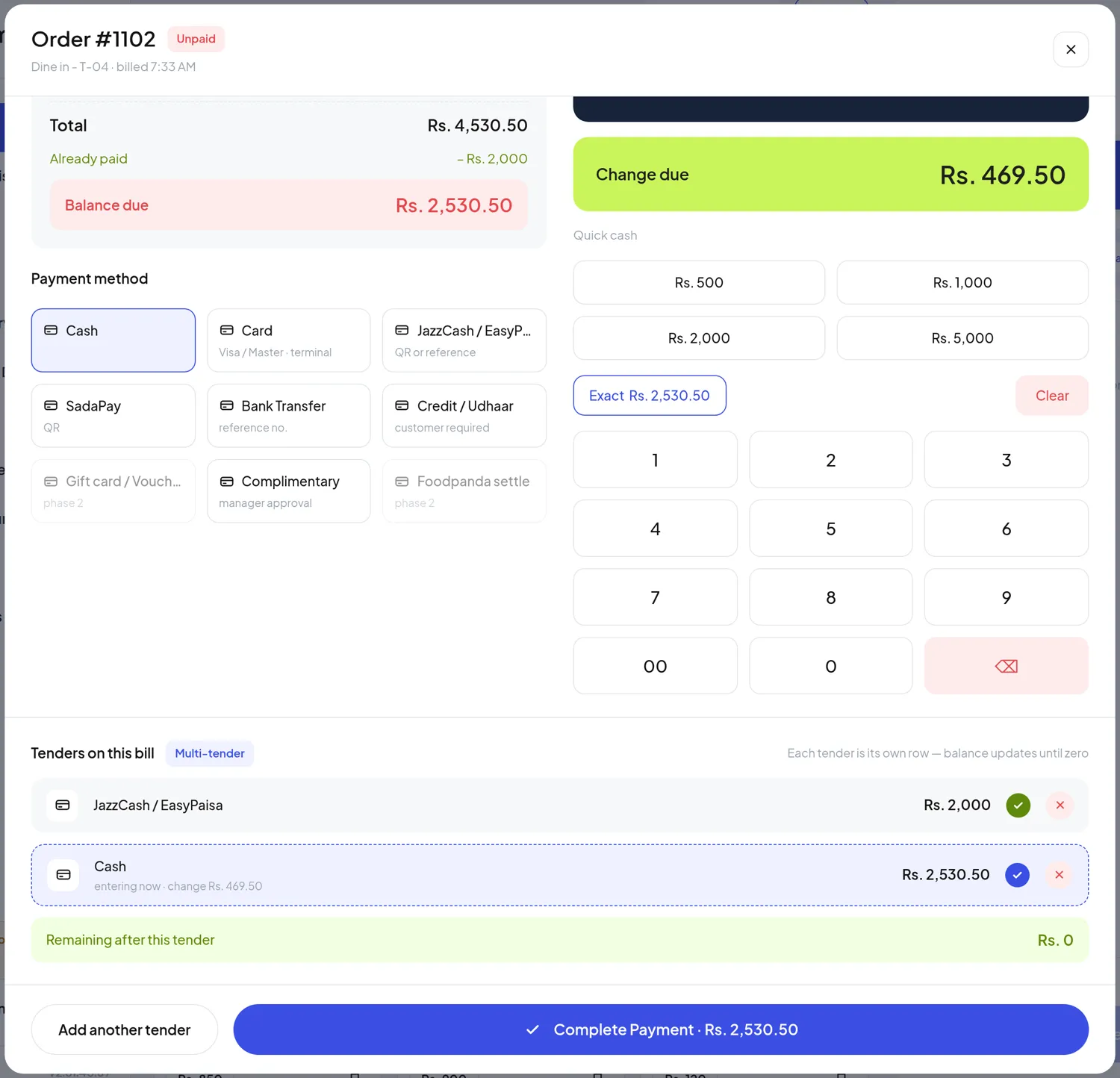
Rs. 2,000 by JazzCash, the rest in cash. The till shows the change, and paying frees the table.
Rules the till keeps
A table status you can trust
Status comes from real orders and payments, not from someone remembering to tap a button.
- ✓Occupied means a real orderA table turns Occupied only when an order is sent to it. Staff can’t set it by hand, and paying or voiding the order frees it.
- ✓No order on a dirty tableA table marked Cleaning takes no new order until someone sets it back to Available. A Reserved table can still take one.
- ✓One table, one tillIf two tills try to seat the same table at the same moment, the server lets only one of them win.
- ✓One waiter per tableEvery dine-in order is taken by that table’s waiter. A waiter can send orders only to their own tables, and can’t take payment.
- ✓Tenders match the bill to the paisaCash, card and wallets on one bill must add up exactly. Cash change is shown to the cashier and never counted as sales.
- ✓Works when the internet dropsDine-in orders keep going on the till, the table shows Occupied, and everything syncs when the line is back. Cash needs an open shift.
In August 2026 the Punjab Revenue Authority told restaurants not to hand out unpaid or temporary bills in place of a proper receipt. Morslo has no pre-bill: the customer receipt prints after payment. This is not legal advice.
No surprises
What it does today, and what it doesn’t yet
✓In Morslo today
- Floors for each hall, with an outdoor style for rooftops
- Drag tables into place, snapped to a grid
- Available, Occupied, Reserved and Cleaning, live on every till
- One waiter per table; waiters see only their own
- Dine-in orders go to the Kitchen Display, and a KOT prints if you use a kitchen printer
- Pay at the end: Cash, Card, JazzCash / EasyPaisa, SadaPay, Bank Transfer or Udhaar
- Several tenders on one bill, change shown for cash
- Keeps working offline and syncs later
–Not yet
- Adding items to a table’s running order
- Split by seat, by item or equally
- Courses and hold & fire
- Moving or merging tables
- Reservations and a waitlist
- A separate waiter handheld app
- Tips and service charge
- Raast QR as a till tender
Tables & floor plan is in the Growth and Chains plans (see pricing); we switch it on for your restaurant.
Yes. Add a floor for each hall, mark a rooftop or terrace as outdoor, add tables with their seats (1 to 30) and drag them into place with Edit layout. The plan is the same on every till.
Only when a dine-in order is sent to it. Nobody can mark a table Occupied by hand. When the bill is paid or the order is voided, the table goes back to Available on its own.
Yes. Each table has one waiter. A waiter signs in with their own PIN, sees their own tables and orders (others stay faded), and can send orders only to their own tables. Waiters can’t take payment or edit tables.
Yes. Add one tender per payment: JazzCash / EasyPaisa for one part, cash for the rest, or card, SadaPay or bank transfer. The tenders must add up to the bill exactly, and the till shows the cash change.
Not yet. Morslo has no seat numbers or item split today. Friends who pay separately are added as separate tenders on the one bill.
Not yet. Today a table holds one order from the moment it is sent until it is paid, and a second order is refused while it is open. This is on our list.
Not yet. You can mark a table Reserved by hand so nobody seats a walk-in there, and it can still take the guest’s order when they arrive. There is no booking list or waitlist yet.
The till keeps taking dine-in orders and marks the table Occupied. When the internet is back the orders sync to the server. See how Morslo works offline on the offline POS page.
Bring your floor plan to the demo
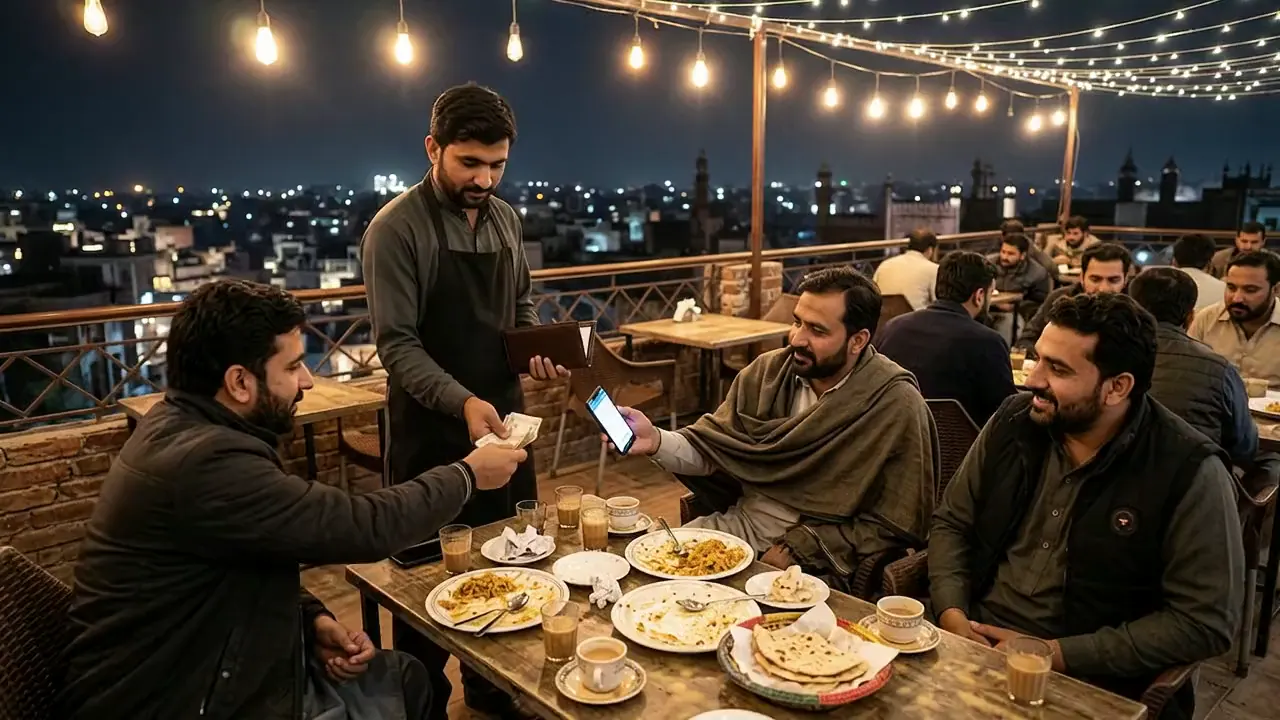
Tell us your halls and tables. In the free demo we draw them on the till and run a dinner service with you.
Book a free demo →